Cron Job Not Running? 6 Common Expression and Crontab Mistakes
UTC time zones, the day-of-week OR, a 31st that doesn't exist, a minimal PATH and unescaped %: why your cron job didn't run and how to check before deploying.
The job ran in staging, ran on my Mac, ran the first time in production. Then it stopped. No error, no alert: it simply never ran again. It was a monthly cron, and it took me four weeks to notice.
That's cron for you: almost none of the mistakes that keep a job from running produce a message. The expression is valid, the daemon is up, and the command never happens, or happens at the wrong time. This post collects the six mistakes I see most (time zone, day-of-week OR, Sunday as 0 or 7, the 31st, the minimal PATH and the unescaped %) and ends with a checklist for finding out why a job didn't run. The crontab lines were tested in Docker containers with Debian 12's cron (3.0pl1) and with cronie 1.7 on Fedora.
Mistake 1: the time zone isn't what you think
0 8 * * *
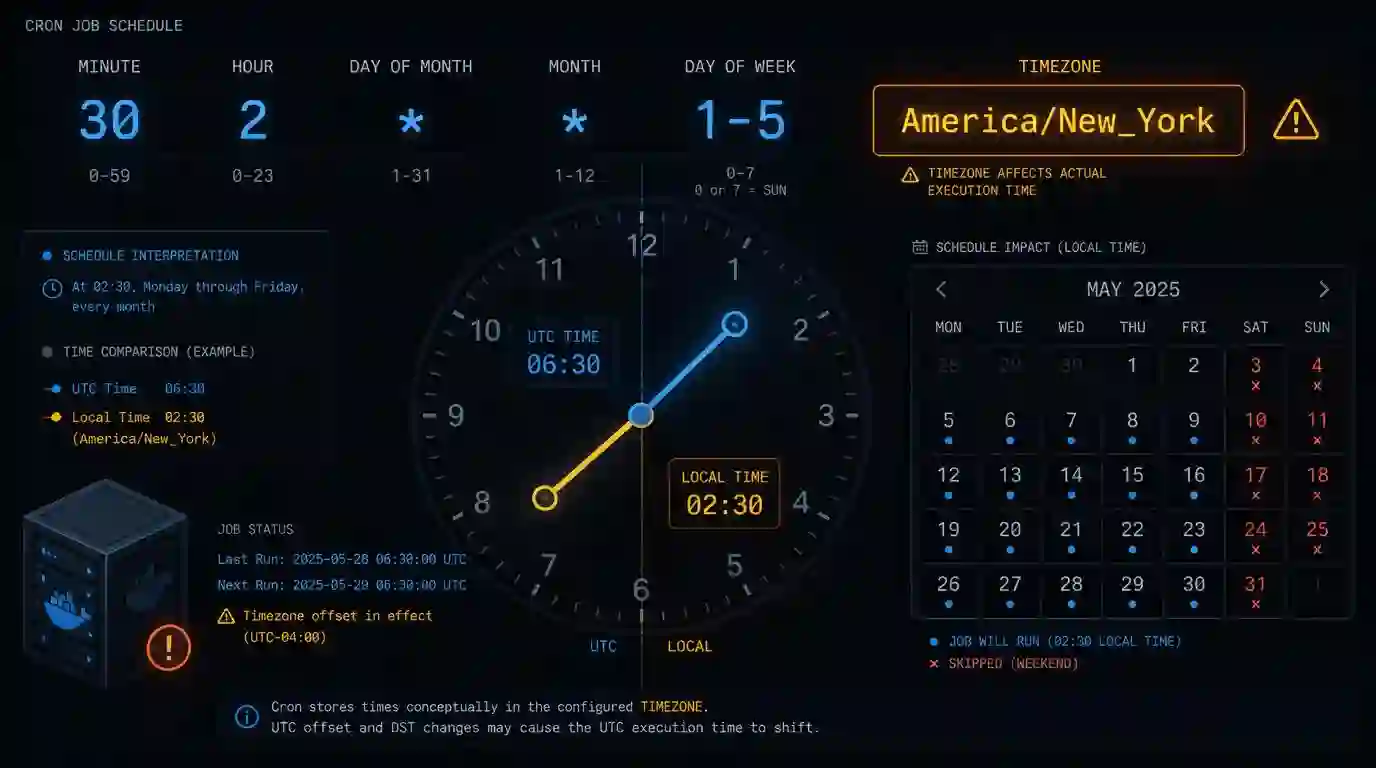
This job should run every day at 8 AM. In which time zone? The one of the system where the daemon runs. On your laptop, local time. In the production container, almost always UTC. And 8 AM UTC is 3 AM in New York in winter and 4 AM in summer.
That last detail is why I prefer a named IANA zone (America/New_York, Europe/Berlin) over offset arithmetic whenever the platform accepts one: daylight saving rules change, the time zone database gets updated, and your expression doesn't have to. Brazil is a good example of rules changing: it abolished daylight saving time by Decree 9.772/2019, so America/Sao_Paulo is UTC−3 all year, and 9 AM there is 0 12 * * * in UTC.
How each platform handles the time zone:
- crontab on Debian/Ubuntu: uses the system time zone, and only that. The
CRON_TZvariable shows up in plenty of tutorials as "the Linux way", but it belongs to cronie (Fedora, RHEL, Arch). I tested the same crontab on both: on cronie,CRON_TZ=America/Sao_Paulomade the 10 AM line run at 13:00 UTC; on Debian's cron, the variable was ignored and the line written in UTC is the one that ran. Debian'sman 5 crontabdoesn't even mention it. There, write in UTC or change the system time zone. - Kubernetes CronJob: the
spec.timeZonefield takes an IANA name, stable since version 1.27. Without it, the kube-controller-manager's time zone applies. - GitHub Actions:
on.scheduleruns in UTC by default, but since March 2026 it accepts atimezonekey with an IANA name (changelog, workflow syntax). The minimum interval is still 5 minutes, and runs can be delayed during high-load periods. In zones with DST, the docs note that runs scheduled in a skipped hour move to the next valid time. - GitLab CI: pipeline schedules have a time zone field in the schedule itself.
# GitHub Actions: 9 AM New York time, Monday to Friday
on:
  schedule:
    - cron: '0 9 * * 1-5'
      timezone: 'America/New_York'
A Docker container inherits UTC from the base image unless you set TZ and have the time zone data installed; containers and environment variables are covered in Docker for beginners. And if time zones bite your application too, not just the scheduler, the post on timestamps and time zones covers the other side of the problem.
Mistake 2: day of month and day of week become an OR
0 0 1 * 1
The intent is almost always "the 1st, if it falls on a Monday". The real semantics is "every 1st or every Monday". When both day fields are restricted (neither is *), cron fires if either one matches. That's behavior defined by POSIX, not an implementation bug, and it turns a monthly job into one that runs about five times a month.
If you need both conditions together, cron can't express it. Schedule on the more restrictive field and test the other one in the command:
# the 1st of the month, only if it's a Monday (date +\%u: 1 = Monday)
0 0 1 * * [ "$(date +\%u)" = "1" ] && /opt/jobs/report.sh
Note the \%: it's the subject of mistake 6.
Mistake 3: is Sunday 0 or 7?
0 0 * * 7
POSIX defines day of week as 0 to 6, with 0 = Sunday. Debian's cron and cronie also accept 7 as Sunday (Debian's man page literally says "0 or 7 is Sun"). Stricter parsers, in libraries and managed services, reject 7. Use 0, or the name (sun), and the problem goes away.
The other stumble in the same field is bringing an expression from another ecosystem. Quartz (Java/Spring) and AWS EventBridge use 6 fields and number the days 1 to 7, with 1 = Sunday. A Quartz expression pasted into a crontab is either rejected for its field count or, worse, read with everything shifted.
Mistake 4: the 31st that doesn't exist
0 9 31 * *
February, April, June, September and November have no 31st. The job skips five months a year without failing, without a log line, without anything. That was exactly my monthly job from the opening. The same goes for 0 9 29 2 * in non-leap years, and 30 fails every February.
For a guaranteed monthly run, use the 1st. For "last day of the month", classic crontab has no support (L is Quartz). The way out is to schedule on days 28 to 31 and let the command decide:
# runs only if tomorrow is the 1st (GNU date)
0 23 28-31 * * [ "$(date -d tomorrow +\%d)" = "01" ] && /opt/jobs/month-close.sh
Mistake 5: it runs in the terminal but not in cron
The command works when you type it, and the job never does anything. The most common cause is the environment. Cron doesn't read your .bashrc or .profile, uses /bin/sh as the shell and a minimal PATH. I tested it with a job that only runs env: on Debian, cron's PATH is /usr/bin:/bin. An executable in /usr/local/bin or /opt/... called by name alone returns /bin/sh: 1: my-tool: not found, and that message goes to a local mailbox nobody reads.
The fixes:
- call everything by absolute path (
/opt/bin/my-tool,/usr/local/bin/node); - or declare
PATH=/usr/local/bin:/usr/bin:/binat the top of the crontab; - check that the script is executable (
chmod +x) and has a shebang (#!/bin/bash) if it uses bash features; - if the script depends on variables (
DATABASE_URL, credentials), load them explicitly: they don't come from your interactive shell.
Mistake 6: the % that cuts the command
0 2 * * * /opt/jobs/backup.sh > /var/backups/db-$(date +%F).log 2>&1
In a crontab, an unescaped % becomes a newline: the command ends at the first % and the rest is sent as standard input. I tested a line with $(date +%Y-%m-%d): the command was cut in the middle of the substitution, the shell hit a syntax error, and the output file was never even created. The same line with \% wrote data-2026-11-09 as expected. Every % of a date call inside the crontab has to be \%, or the command moves into a script and the crontab just calls the script.
How to find out why the cron job didn't run
When the job didn't run, go in this order:
- Is the daemon up?
systemctl status cronon Debian/Ubuntu,systemctl status crondon Fedora/RHEL. In a container, check that a cron process exists at all; many images start no daemon. - Did cron try to run it?
journalctl -u cron(or-u crond), orgrep CRON /var/log/syslogwhere there's a syslog. If theCMD (...)line shows up at the expected time, the expression is right and the problem is the command. - What did the command say? Redirect the output to a file:
>> /var/log/my-job.log 2>&1. Without it, the output goes to local mail or gets lost. - Is the environment what you think? Run a one-minute test job,
* * * * * env > /tmp/cron-env.txt, and compare it with your shell. The everyday inspection commands are in essential Linux commands. - Does the expression fire when you think? List the next runs before waiting a month to find out.
Frequently asked questions
Why isn't my cron job running?
The most common causes, in order: the daemon is stopped or doesn't exist in the container, the command depends on PATH or variables from your shell, an unescaped % cuts the command, and the expression fires at another time (time zone) or on other days (the OR between the day fields). Start with the cron log to learn whether it even tried.
Does cron use UTC?
It uses the time zone of the system it runs on, which on servers and containers is usually UTC. Kubernetes (timeZone), GitHub Actions (timezone, since March 2026), GitLab and cronie (CRON_TZ) let you choose another zone; Debian/Ubuntu's cron doesn't.
In cron, is Sunday 0 or 7?
The POSIX standard is 0. Debian's cron and cronie also accept 7, but other parsers don't. Use 0 or sun and the expression works everywhere.
How do I schedule a cron job for the last day of the month?
Standard crontab doesn't have that feature. Schedule on days 28 to 31 and test in the command whether tomorrow is the 1st, remembering to write \%d inside the crontab.
A valid expression isn't a correct schedule
The parser accepts any number from 0 to 59 in the minute field; it doesn't know you wanted New York time, that February has no 31st or that your binary lives in /usr/local/bin. The discipline is always the same: write the expression with the time zone in mind, check the next runs, use absolute paths, escape the % and send the output to a log. It's tedious, and it's the kind of thing you do once, forget, and remember when the monthly report doesn't arrive.
The editorial content ends here. To check the next runs before deploying, I use the Quick Tools cron expression generator: you pick the platform (crontab, Kubernetes, GitHub Actions, Quartz, AWS and others), fill in the fields one by one in the editor or start from a preset, and it lists the next five runs in your browser's time zone. To convert a local time to UTC without getting the math wrong, the time zone converter.
- 01 CPU Cores vs. Threads: What Actually Changes in Practice Understand the difference between CPU cores and threads and what actually changes for performance, multitasking, gaming, and development.
- 02 MIT, Apache, and GPL Licenses: Practical Differences for Developers MIT, Apache 2.0, and GPL are not the same thing. Understand permissive vs copyleft, patent protection, and compatibility before shipping code to production.