How to decode a JWT in JavaScript without a library
Read a JWT's header and payload with atob and TextDecoder, no dependencies. See why decoding in the browser is safe and why validating there is not.
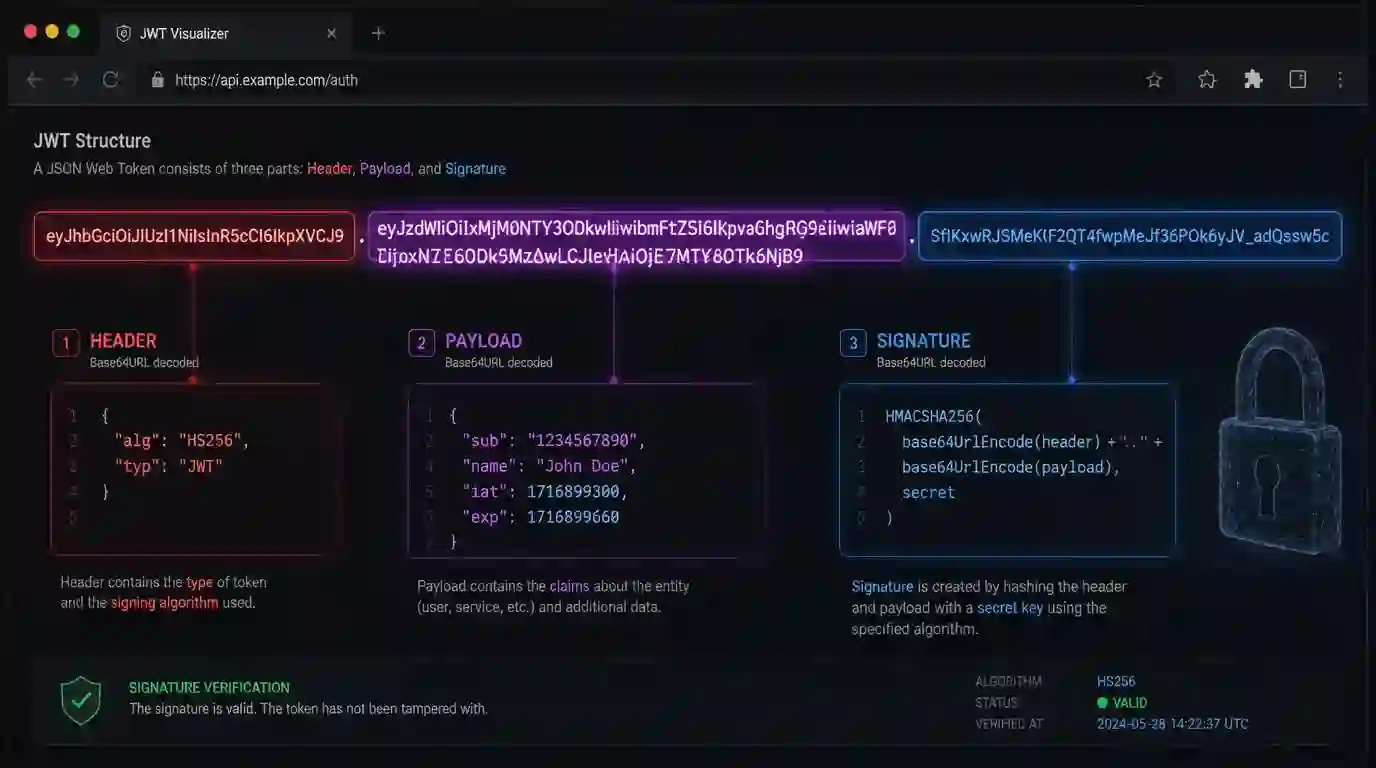
The most widely shared snippet for reading a JWT on the front end is JSON.parse(atob(token.split('.')[1])). It works on the first test, ships to production, and the day a user named José or Zoë logs in, the app header shows "José". atob knows nothing about UTF-8, and any product with non-ASCII names hits this sooner or later.
The direct answer: to decode a JWT in JavaScript without a library, split the token on the dots, convert the second block from Base64URL to Base64, restore the padding, decode with atob, and run the bytes through a TextDecoder before JSON.parse. No key is needed, and doing it in the browser is safe as long as you use the result only to display information, never to authorize. The complete code:
function base64UrlDecode(segment) {
  const base64 = segment.replace(/-/g, '+').replace(/_/g, '/');
  const padded = base64.padEnd(base64.length + ((4 - (base64.length % 4)) % 4), '=');
  const binary = atob(padded);                                  // "binary" string (1 char = 1 byte)
  const bytes = Uint8Array.from(binary, (c) => c.charCodeAt(0));
  return new TextDecoder().decode(bytes);                       // UTF-8 bytes -> text
}

function decodeJwt(token) {
  const parts = token.split('.');
  if (parts.length !== 3) throw new Error('Invalid JWT: expected header.payload.signature');
  return {
    header: JSON.parse(base64UrlDecode(parts[0])),
    payload: JSON.parse(base64UrlDecode(parts[1])),
  };
}
The rest of the post explains each line, shows the alternatives in Node and with a library, and draws the line between decoding and trusting.
What you are decoding
A JWT has three Base64URL blocks separated by dots: header (algorithm and type), payload (the claims, such as sub, exp and whatever else the app put there) and signature. The first two are encoded JSON, not encrypted; the signature is what proves origin. How each part works, what the signature guarantees and which claims the server validates are in the pillar post How JWT works. Here the subject is just the code.
Why atob alone mangles accented characters
atob returns a "binary string": each character represents one byte, with a code between 0 and 255. MDN's documentation describes exactly that. But the payload JSON was encoded as UTF-8 before becoming Base64URL (RFC 8725 requires UTF-8), and in UTF-8 an "ã" or "é" takes two bytes. atob hands those two bytes back as two separate characters, and JSON.parse accepts the result without complaint.
I ran both versions in Node 24 against a token signed with jsonwebtoken, with the claim "name": "João Conceição":
JSON.parse(atob(...))          -> { name: 'João Conceição' }
decodeJwt(token) (TextDecoder) -> { name: 'João Conceição' }
No error, no warning: just wrong data on screen. Emoji in the payload suffer the same way, turning into a string of meaningless symbols. The fix is the Uint8Array.from(...) + TextDecoder line: turn the binary string back into bytes and decode those bytes as UTF-8.
Base64URL, the replace and the padding
Base64URL swaps + for - and / for _ so the token can travel in URLs and headers without escaping, and RFC 7515, which defines the format JWT uses, says to omit the trailing = padding. atob only knows the standard Base64 alphabet, which is why the replace comes first. If Base64 itself is fuzzy, the post on Base64 covers the mechanism.
Padding is the detail almost every snippet forgets and that almost always "works anyway". Browsers' atob follows the WHATWG forgiving-base64 algorithm, which tolerates a missing =. Other implementations don't: in Python, base64.urlsafe_b64decode without padding raises Incorrect padding. Padding to a multiple of 4 costs one line and keeps the function correct wherever you port it.
To check a single block by hand, paste it into a Base64 decoder.
In Node and with a library
In Node you need none of this: Buffer understands Base64URL directly and decodes UTF-8 correctly.
const payload = JSON.parse(Buffer.from(token.split('.')[1], 'base64url').toString('utf8'));
If you prefer a dependency, jwt-decode (v4) does the same in the browser and in Node, with UTF-8 and error handling:
import { jwtDecode } from 'jwt-decode';

const payload = jwtDecode(token);
const header = jwtDecode(token, { header: true });
I tested all three approaches (hand-written function, Buffer and jwt-decode 4.0.0) with the same accented token: all three return João Conceição. My take: if the project already has a bundler and you read tokens in several places, jwt-decode is small and settles it. For a script, an extension or a one-off, the fifteen lines above are enough.
Recent browsers also ship Uint8Array.fromBase64 with { alphabet: 'base64url' }, which removes the replace and the atob. It is Baseline 2025, so it still fails in older browsers — and in Node 24, where I tested, the function does not exist.
Checking expiration on the front end
The most common reason to decode on the client is to know whether the token has expired and refresh it before the next call. exp is in seconds since 1970, not milliseconds, so the comparison is against Date.now() / 1000:
function isExpired(payload, skewSeconds = 30) {
  if (typeof payload.exp !== 'number') return false;
  return Date.now() / 1000 >= payload.exp - skewSeconds;
}
The 30-second margin avoids sending a token that expires mid-request and covers a user clock running slightly fast. If an exp looks absurd while debugging, paste the number into a timestamp converter and see the real date.
This is UX: deciding when to call refresh, when to show "your session expired". It is not security. The user's clock may be wrong and the payload may have been edited; the server decides whether the token is valid.
Decoding is not verifying
Decoding tells you what the token claims. Verifying tells you whether you can believe it. Anyone can edit the payload, re-encode it and send it; only signature verification, done with the key on the server, catches that. That is why decoding in the browser is safe — you reveal nothing the token holder couldn't already read — and making permission decisions from what you decoded is not.
In practice:
- Use the decoded payload to display name, avatar, language, and to hide buttons the user can't use. Real authorization is the API's 401 or 403 response.
- Never verify HMAC on the client. If the HS256 secret is in the JavaScript bundle, it is public, and anyone can forge tokens.
- Don't paste a valid production token into a site that sends it to a server. Prefer tools that run only in the browser, and even then avoid tokens that are still active.
- Don't trust
alg: none. Old libraries accepted unsigned tokens or swapped algorithms (jsonwebtokenfixed one such bypass in 4.2.2, CVE-2015-9235); that is a server problem, but it is why the front end is never the last word.
Where to store the token in the browser, localStorage or an httpOnly cookie, is an architecture decision covered in JWT vs sessions. Note that with an httpOnly cookie, JavaScript can't even read the token to decode it; in that design the API usually returns the user's data from an endpoint like /me.
Frequently asked questions
Is it safe to decode a JWT on the front end?
Yes, for reading. The payload of a signed JWT is not secret: whoever holds the token can already read it. What is not safe is making access decisions based on it, because the client does not verify the signature. Use it to display data and to know when to refresh the token; leave authorization to the server.
Do I need the secret key to decode a JWT?
No. Header and payload are just Base64URL; the key is for verifying the signature, not for reading the content. If a JWT could only be read with a key, it would be a JWE, which is a different format.
Why does the name in the payload show up as "João"?
Because the code calls atob straight into JSON.parse. atob returns one character per byte, and accented characters take two bytes in UTF-8. Convert the result to a Uint8Array and decode it with new TextDecoder(), as in the function at the top of the post, or use Buffer.from(..., 'base64url') in Node.
Should I use the jwt-decode library or write the function?
Both work. jwt-decode has error handling built in and is the obvious choice in an app with a bundler. The hand-written function is fifteen lines with zero dependencies and fits scripts, extensions and environments without npm. What isn't worth it is the one-line atob shortcut.
Decode to display, verify to decide
Reading a JWT in JavaScript is Base64URL with padding and UTF-8, nothing more, and the two details almost every snippet forgets are exactly the ones that break with non-ASCII names. Use the payload for the interface and for timing the token refresh, and leave every permission decision to the server, which holds the key. When you just want to look at a token while debugging, without writing code, the JWT decoder shows the header, claims and iat/exp dates right in the browser.
- 01 CPU Cores vs. Threads: What Actually Changes in Practice Understand the difference between CPU cores and threads and what actually changes for performance, multitasking, gaming, and development.
- 02 MIT, Apache, and GPL Licenses: Practical Differences for Developers MIT, Apache 2.0, and GPL are not the same thing. Understand permissive vs copyleft, patent protection, and compatibility before shipping code to production.