Ready-to-use regex: email, phone, date, slug and hex color
Ready-to-use regular expressions for email, E.164 phone numbers, dates, ZIP codes, slugs and hex colors, with inputs that match, inputs that fail, and tests.
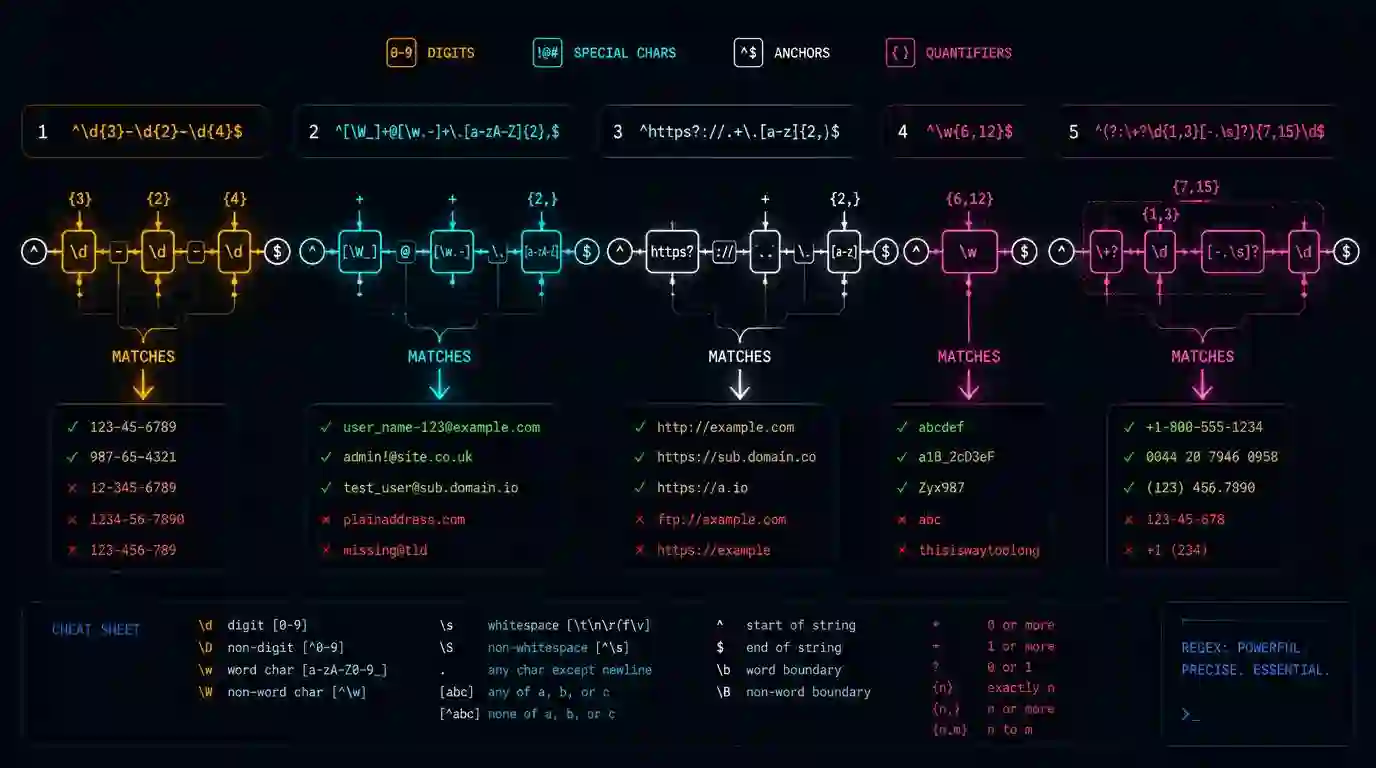
Every time a form needs to validate an email, a phone number or a date, someone opens Stack Overflow, copies the top-voted regex and moves on. Months later a signup shows up with a..b@company.com or a phone number with an opening parenthesis that never closes, and the "tested" regex let it through. The problem is almost never syntax. It's that nobody tested the inputs that were supposed to fail.
This post is a short library of ready-to-use regex for the formats that show up in almost every app: email, international phone numbers, dates, US ZIP codes, URL slugs and hex colors. Each pattern comes with what it matches, what it rejects, and where its promise ends. Every case in the tables below was run in Node 24 before it went in here.
Summary table: regex ready to copy
| Format | Regex | Matches | Rejects |
|---|---|---|---|
^[A-Za-z0-9_%+-]+(?:\.[A-Za-z0-9_%+-]+)*@(?:[A-Za-z0-9](?:[A-Za-z0-9-]{0,61}[A-Za-z0-9])?\.)+[A-Za-z]{2,}$ |
ana@example.com, john.doe+news@company.co.uk |
a..b@x.com, .a@x.com, a@-x.com, a@x |
|
| Phone (E.164) | ^\+[1-9]\d{1,14}$ |
+14155552671, +5511987654321 |
14155552671, +0123, +1234567890123456 |
| Date ISO 8601 | ^(\d{4})-(0[1-9]|1[0-2])-(0[1-9]|[12]\d|3[01])$ |
2026-02-28, 2024-02-29 |
2026-13-01, 2026-1-1 |
| Date dd/mm/yyyy | ^(0[1-9]|[12]\d|3[01])\/(0[1-9]|1[0-2])\/(\d{4})$ |
31/12/2026 |
32/01/2026, 10/13/2026 |
| US ZIP | ^\d{5}(?:-\d{4})?$ |
90210, 90210-1234 |
9021, 902101234 |
| Slug | ^[a-z0-9]+(?:-[a-z0-9]+)*$ |
useful-regex, post2026 |
--double, edge-, Uppercase |
| Hex color | ^#(?:[0-9A-Fa-f]{3,4}|[0-9A-Fa-f]{6}|[0-9A-Fa-f]{8})$ |
#fff, #FFFF, #1a2b3c80 |
fff, #ff, #fffff |
In the table, \| is only Markdown escaping; in code it's a plain |. Below is the reasoning behind each choice and where each one stops being enough.
An email regex that rejects double dots
^[A-Za-z0-9_%+-]+(?:\.[A-Za-z0-9_%+-]+)*@(?:[A-Za-z0-9](?:[A-Za-z0-9-]{0,61}[A-Za-z0-9])?\.)+[A-Za-z]{2,}$
The popular version, ^[a-zA-Z0-9._%+\-]+@[a-zA-Z0-9.\-]+\.[a-zA-Z]{2,}$, puts the dot inside the character class. The result: a..b@x.com, .a@x.com and a@-x..com all pass (I tested all three). The fix is to treat the local part as blocks separated by a single dot, block(\.block)*, and the domain as labels that start and end with a letter or digit, with hyphens only in the middle and at most 63 characters, which is the DNS label limit.
Two things this regex deliberately doesn't do. First, it doesn't implement the full grammar of RFC 5322 (address syntax), which allows things like "name with space"@example.com; nobody wants that in a signup form. Second, it rejects joão@example.com. A non-ASCII local part is valid on servers that support SMTPUTF8 (RFC 6531), but support is still uneven across providers. If your product needs it, swap the classes for \p{L} with the u flag and test real delivery.
The main point: no regex tells you whether the mailbox exists. To check format, domain and common typos in one go, an email validator does the job; the real confirmation is still sending a link and waiting for the click.
Phone numbers: E.164 and balanced parentheses
^\+[1-9]\d{1,14}$
E.164 is the international format: a plus sign, a country code that never starts with zero, and at most 15 digits in total. It validates what you should be storing, not what users type. The right flow is to accept the human format, strip spaces, dashes and parentheses, prepend the country code, and validate the normalized result against E.164.
If you do validate the typed format, watch out for one classic bug. Patterns written as \(?\d{2,3}\)? make each parenthesis optional independently, so (11 98765-4321 and 11) 98765-4321 pass. The fix is to make the area code an alternation, (?:\(\d{3}\)|\d{3}): either both parentheses or neither. And never make the area code optional when the format requires one, or 0000-0000 sneaks through.
For per-country rules (which prefixes are mobile, which lengths are valid), a regex per country gets out of hand fast. That's what dedicated libraries such as libphonenumber are for.
Date regex (and why it isn't enough)
^(\d{4})-(0[1-9]|1[0-2])-(0[1-9]|[12]\d|3[01])$
It guarantees a four-digit year, a month from 01 to 12 and a day from 01 to 31. It doesn't guarantee the date exists: 2026-04-31 and 2026-02-30 pass. You can write a regex that knows about leap years, but it becomes unreadable; the sane split is regex for the format and code for the calendar.
Here lives the most repeated tutorial mistake: "pass it to new Date() and check for Invalid Date." In V8 (Chrome, Node), new Date('2026-02-30') is not invalid: it becomes March 2, 2026 in UTC (February 2026 has 28 days, so the two extra days roll into March). The impossible date passes silently. The right approach is to build the date and check that year, month and day come back unchanged:
const ISO_DATE = /^(\d{4})-(0[1-9]|1[0-2])-(0[1-9]|[12]\d|3[01])$/;

function dateExists(year, month, day) {
  const d = new Date(0);
  d.setUTCFullYear(year, month - 1, day); // avoids mapping years 0–99 to 1900–1999
  return d.getUTCFullYear() === year &&
         d.getUTCMonth() === month - 1 &&
         d.getUTCDate() === day;
}

function isValidIsoDate(text) {
  const m = ISO_DATE.exec(text);
  if (!m) return false;
  return dateExists(Number(m[1]), Number(m[2]), Number(m[3]));
}

isValidIsoDate('2024-02-29'); // true  (leap year)
isValidIsoDate('2026-02-29'); // false
isValidIsoDate('2026-04-31'); // false
I used setUTCFullYear instead of Date.UTC(year, ...) because Date.UTC treats years 0 to 99 as 1900 to 1999. Everything is in UTC so the server's time zone can't shift the day. For dd/mm/yyyy the regex is the same idea in a different order, and the same dateExists function handles the calendar part.
ZIP code, slug and hex color
US ZIP: ^\d{5}(?:-\d{4})?$. Five digits, optionally followed by a hyphen and the four-digit ZIP+4 extension. It doesn't check whether the ZIP exists; only an address database can do that.
Slug: ^[a-z0-9]+(?:-[a-z0-9]+)*$. Starts and ends with a lowercase letter or digit, hyphens only between blocks. Rejects --double, -edge, edge- and uppercase. If the slug comes from a title with accents, normalize it first (strip diacritics) instead of loosening the regex; the post on URL encoding shows what happens when raw accents go into a URL.
Hex color: ^#(?:[0-9A-Fa-f]{3,4}|[0-9A-Fa-f]{6}|[0-9A-Fa-f]{8})$. The four forms CSS accepts: #rgb, #rgba, #rrggbb and #rrggbbaa (MDN). The common version forgets the 4-digit #rgba. To turn the validated value into RGB or HSL, use a color converter.
How to test regex without false positives
A regex looks right when it passes the happy-path example. It proves itself on the inputs that should fail. For each pattern, keep two lists, "must match" and "must reject", and run both. That's how the tables in this post were built, and that's how the bugs in the popular versions showed up: none of them appears if you only test ana@example.com.
Three rules that prevent most problems:
- Always anchor with
^and$. Without anchors,/\d{5}/finds a ZIP insideabc90210xyzand reports success. - Turn the lists into automated tests. An
it.eachwith the match and reject cases stops someone from "simplifying" the regex six months from now. The post on what to unit test applies here too. - Watch out for backtracking. Nested quantifiers like
(a+)+or overlapping alternatives can take seconds on a long string (ReDoS). The patterns in this post don't have that shape; I ran the email regex against 50,000-character inputs and it answered in under 1 ms. Still, cap input length before running regex on user data.
Regex is the first layer. Full validation (format, business rules, existence) is the subject of the post on validating data before saving it.
Frequently asked questions
Does a regex really validate an email address?
Only the format. It can't tell whether the domain accepts mail or whether the mailbox exists, and no practical regex covers all of RFC 5322. Use the regex to reject what is obviously wrong and confirm the address by sending a link.
Can I validate a phone number with one regex?
Only the normalized format. E.164 (^\+[1-9]\d{1,14}$) checks the shape of an international number, but valid prefixes and lengths vary per country. Normalize the input first, and use a phone library if you need per-country rules.
Does the date regex accept February 30?
Yes, because it only knows that 30 is a day between 01 and 31 and 02 is a month. To reject it, build the date and check that year, month and day come back unchanged. Don't rely on new Date() returning Invalid Date: in Chrome and Node, February 30 becomes March 2.
What's the difference between \d and [0-9] in JavaScript?
In JavaScript, \d is exactly [0-9], with or without the u flag. In other engines (Python with str, .NET) \d also matches digits from other scripts, such as Arabic-Indic digits. If the code may be ported, [0-9] is the explicit choice.
Regex proves format, code proves the rest
Copy the regex from the table, but copy the match and reject lists along with it, because they're what tell you whether the pattern works. For dates and emails, the regex is only the input filter: the date has to exist and the email has to receive the message. Before pasting any pattern into your project, run your own edge cases in the regex tester and turn the ones that matter into tests.
- 01 CPU Cores vs. Threads: What Actually Changes in Practice Understand the difference between CPU cores and threads and what actually changes for performance, multitasking, gaming, and development.
- 02 MIT, Apache, and GPL Licenses: Practical Differences for Developers MIT, Apache 2.0, and GPL are not the same thing. Understand permissive vs copyleft, patent protection, and compatibility before shipping code to production.