Two-factor authentication: SMS, app, hardware key, or passkey?
SMS falls to SIM swaps, authenticator apps don't. What each type of two-step verification protects against, and when to use a hardware key or a passkey.
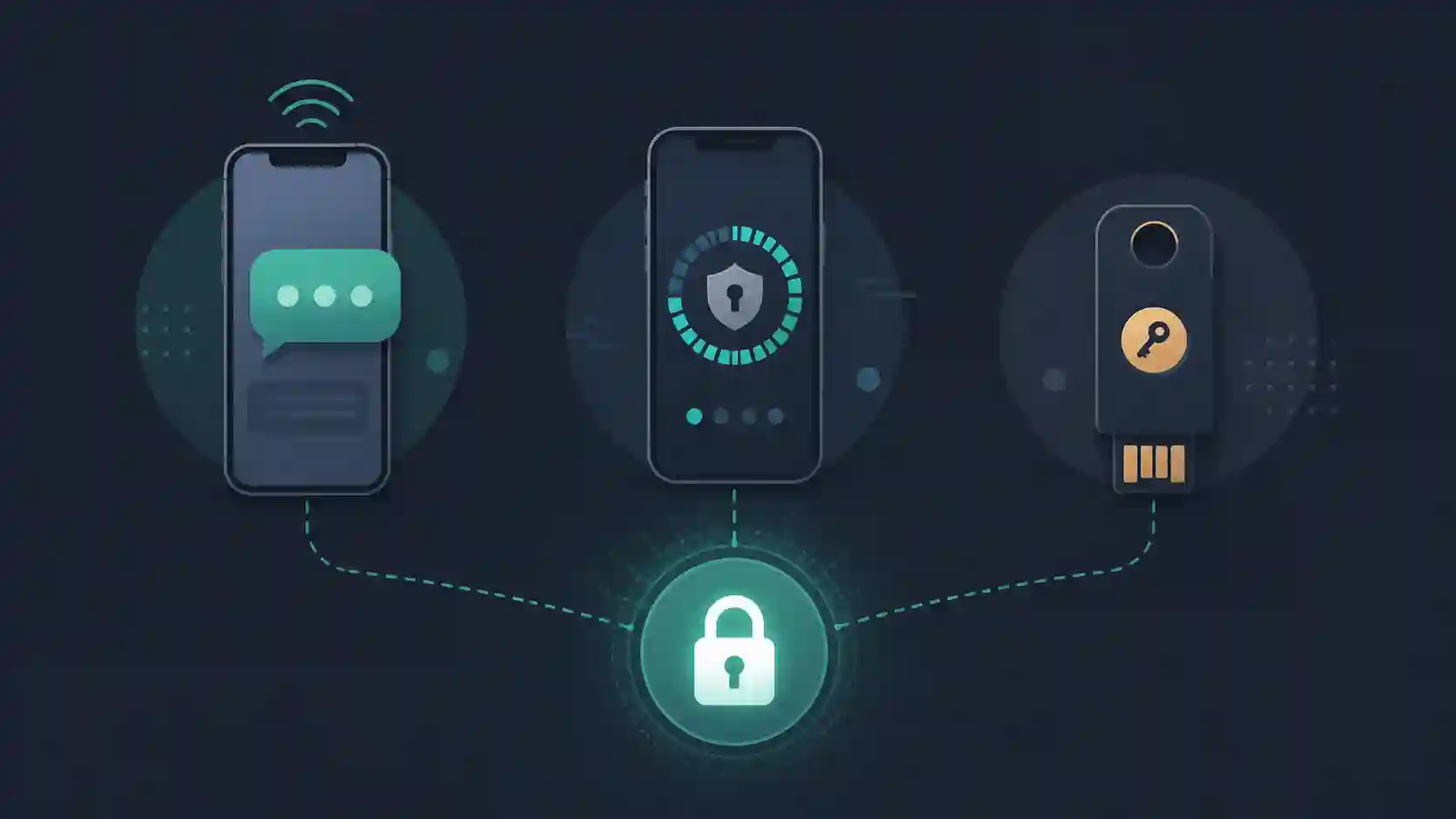
You turned on two-step verification for your bank, email, and social accounts, you get a code by text every time you log in, and you sleep soundly thinking you're protected. The problem is that SMS, the most popular method by far, is the weakest link in that chain. If someone hijacks your phone line, every code that was supposed to protect you starts landing on their phone instead. The right question isn't "do I have 2FA?" but "which 2FA do I have, and does it survive the kind of attack I actually face?".
Two-step verification, two-factor authentication, and 2FA are names for the same idea; platforms use the first, security people the other two. This guide compares the four methods you'll run into (SMS, authenticator app, hardware key, and passkey) by what matters in practice: what each one protects against, what it doesn't, and which to use on which account. For the wider context, the post on the pillars of information security shows where the second factor fits.
What the second factor actually solves
A password alone is a secret that leaks. It leaks in data breaches, in phishing, in reuse across sites, in malware. The second factor exists so that leaking the password isn't enough: the attacker would also need the second element, which ideally is something you have (the phone, the key). It's the difference between "knows the password" and "knows the password and has your device in hand".
The big variable between methods is how easily that second element can be stolen or relayed remotely. That's where they split, along two axes: does the method depend on the phone carrier? And does it hold up against a fake page that relays whatever you type?
SMS: better than nothing, worse than you think
An SMS code works like this: the service generates a 6-digit number and sends it over the carrier's network. You type it in, you're in. Simple, and that's why it's everywhere.
The holes:
- Line hijacking. Brazil's telecom regulator, Anatel, describes two forms of the same scam (Anatel). In a SIM swap proper, the criminal gets your own carrier to activate your number on their SIM or eSIM, using forged documents or help from an insider. In the porting scam, they request a move of your number to a different carrier in your name. Number porting itself is just the right to switch carriers and keep your number; in Brazil, since August 28, 2023, it requires you to confirm by SMS on the number itself, precisely to make the fraud harder (Anatel). In both cases the warning sign is the same: your phone stops making calls and receiving texts off Wi-Fi.
- Real-time phishing. A fake page asks for your password and then the SMS code. You type both; the attacker relays them to the real site on the spot and gets in. The code is valid for minutes, plenty of time.
- Network interception. In more sophisticated cases, flaws in the SS7 telephony protocol allow messages to be diverted.
NIST, which writes the most cited technical reference on authentication, classifies SMS as a "restricted" authenticator: a service that uses SMS must offer an alternative and should weigh signals such as a recent SIM change or number porting (SP 800-63B-4, section 3.1.3.3). In plain terms: SMS protects against someone who only has your leaked password and tries to log in from across the world. It doesn't protect against someone targeting you specifically. If it's the only option on a service, turn it on, because it beats a password alone. But don't treat it as armor.
Push notifications: the "yes" without looking
Many services replaced the code with an in-app prompt: "Is this you trying to sign in? Yes / No". It's more comfortable and doesn't depend on the carrier, but it created the MFA fatigue attack: the scammer, already holding your password, fires prompt after prompt until you tap "Yes" to make it stop. The defense CISA recommends is number matching: the login screen shows a number and you have to type it into the app, which blocks blind approval (CISA). Rule of thumb: a prompt you didn't request means your password has already leaked. Deny it and change the password.
Authenticator app: the baseline for almost everyone
Apps like Google Authenticator, Microsoft Authenticator, 2FAS, or Aegis, and also password managers, generate TOTP codes (Time-based One-Time Password): a 6-digit number that changes every 30 seconds, computed locally from a secret agreed when you scan the QR code.
Why it beats SMS:
- The code is born inside your phone, without going through the carrier. Line hijacking doesn't reach it.
- It works offline: no signal or SIM needed.
- The secret doesn't travel over the network after the initial setup.
What's still left out: real-time phishing. Because a TOTP code is just a number you type, a convincing fake page can still ask for it and relay it immediately. NIST says outright that OTP authentication "is not phishing-resistant". TOTP fixes theft of the channel (the carrier), not deception of the user. The post on phishing shows how these real-time attacks work.
Details that make a difference:
- When you set up the app, save the backup codes the service offers. They're your way out if you lose the phone. Keep them off that same device: paper somewhere safe or your password manager.
- Cloud backup is a trade-off. Google Authenticator has optionally synced codes to your Google Account since April 2023 (Google). You gain convenience when switching phones, but the secret now depends on that account's security, which needs a strong second factor too.
- Authy: still works on phones, but shut down its desktop apps on March 19, 2024 (Twilio). If you used it on a computer, migrate.
Hardware key: phishing-resistant by design
A security key (YubiKey, Titan, or any FIDO2 device) is a piece of hardware, USB, NFC, or both, that you tap or hold near the phone to confirm the login. The difference isn't "one more number". It's that the key performs cryptography bound to the site's domain.
In practice: the key signs a challenge that includes the site's real address. If you landed on a phishing page at bannk-secure.com, the signature is useless for the real domain, and the login fails. There's no code for you to mistype, nothing to relay. That's why FIDO2 is considered phishing-resistant by design.
Things to watch:
- It costs money. Yubico's Security Key NFC is US$ 29 on the official store (checked on 2026-11-09); in countries like Brazil, shipping and import taxes push the final price well above that, and models like the YubiKey 5 cost more. Check local prices first.
- You have to carry the device and have a plan B if you lose it.
- Always register two keys: one for daily use and a backup stored somewhere safe. Losing the only registered key can lock you out of the account.
Passkey: phishing resistance without buying anything
A passkey uses the same standard as the hardware key (FIDO2/WebAuthn), with one difference in where the private key lives. Instead of being bound to a piece of hardware, it sits on your phone, computer, or password manager and is usually synced across your devices: through iCloud Keychain in the Apple ecosystem (Apple), Google Password Manager on Android and Chrome (Google), or managers like Bitwarden and 1Password. You confirm with the device's biometrics or PIN.
What it inherits from the hardware key: it only works on the domain where it was created, so a fake page gets nothing usable. The FIDO Alliance calls passkeys "phishing-resistant" by design (FIDO Alliance). And the site only stores the public key, so a breach on its side yields nothing reusable.
What's different from the hardware key:
- Synced vs. bound to hardware. A synced passkey survives losing your phone, because it lives in your Apple or Google account or your manager. In exchange, its security now depends on that account. A hardware key never leaves the device, which is why NIST reserves its highest assurance level for authenticators whose key can't be exported.
- Zero cost. You already own the device.
- Uneven support. Google, Apple, Microsoft, and many large services accept passkeys; plenty of banks and smaller sites don't yet.
On many services, a passkey replaces both the password and the second factor at once. Where it exists, it's the best option for most people.
So which one should you choose?
Think in layers, not a single pick:
- Where a passkey is available: use it. It's phishing-resistant, free, and faster than typing a code.
- Baseline: an authenticator app on everything that doesn't offer passkeys. It's free and covers the bulk of threats.
- Critical accounts (main email, password manager, admin and crypto accounts): a passkey or hardware key, with two keys registered. Your main email is the mother of all accounts: whoever controls it resets the password on everything else.
- SMS: only where it's the sole option. And if the service allows it, remove SMS as a recovery method once something better is set up, or it becomes the back door.
And don't forget the obvious: the second factor protects a password that still needs to be strong and unique. Reusing the same password on ten sites is still mistake number one; the posts on what makes a password strong and how to create and store strong passwords cover the part 2FA doesn't solve. To generate long, random passwords on the spot, I use the password generator, which runs in the browser without sending anything to a server.
Frequently asked questions
Which type of two-step verification is the most secure?
The FIDO2 methods: hardware keys (YubiKey, Titan) and passkeys. Both are phishing-resistant because the login is bound to the site's real domain. The hardware key has the advantage of never leaving the hardware; the passkey, of being free and surviving a lost phone because it's synced. Next comes the authenticator app and, last, SMS.
Is SMS 2FA secure?
It's better than a password alone, but it's the weakest method. The code depends on your phone line, which can be hijacked through a SIM swap or a fraudulent port, and it can be captured by a fake page in real time. NIST classifies SMS as a restricted authenticator. Use it only where there's no app, passkey, or key.
How does two-step verification work on WhatsApp?
It's different from the other methods. On WhatsApp, two-step verification is optional and is turned on in the account settings (WhatsApp). It's a PIN (or password) you create, which is required when the number is registered on a device, according to Meta's documentation. It's something you know, not something you have, but it's exactly what stops whoever hijacked your SIM from taking over the account.
If I lose the phone with my authenticator app, do I lose access to my accounts?
Not if you saved the backup codes each service offers at setup, or if you use an app with cloud backup. Keep the backup codes off that same device. It's the step most people skip and the one that causes the most lockouts. With synced passkeys the problem mostly disappears, as long as your Apple, Google, or password-manager account stays accessible.
Passkey where you can, an app everywhere else, SMS last
Two-step verification isn't a "turn on security" button; it's a scale. SMS beats nothing and protects against the generic attacker. An authenticator app cuts off line hijacking and is the sensible baseline. Hardware keys and passkeys are the only methods that beat real-time phishing, and they belong on your most valuable accounts. Choose by the value of what you're protecting, review your recovery methods so SMS doesn't become the back door, and remember that the second factor only makes sense on top of a password that was already strong and unique.
- 01 CPU Cores vs. Threads: What Actually Changes in Practice Understand the difference between CPU cores and threads and what actually changes for performance, multitasking, gaming, and development.
- 02 MIT, Apache, and GPL Licenses: Practical Differences for Developers MIT, Apache 2.0, and GPL are not the same thing. Understand permissive vs copyleft, patent protection, and compatibility before shipping code to production.