Checklist before opening a PR: review your own diff
Reading your own diff before the pull request catches leftover debug code, out-of-scope files and unreviewed AI code. A checklist and the git commands to do it.
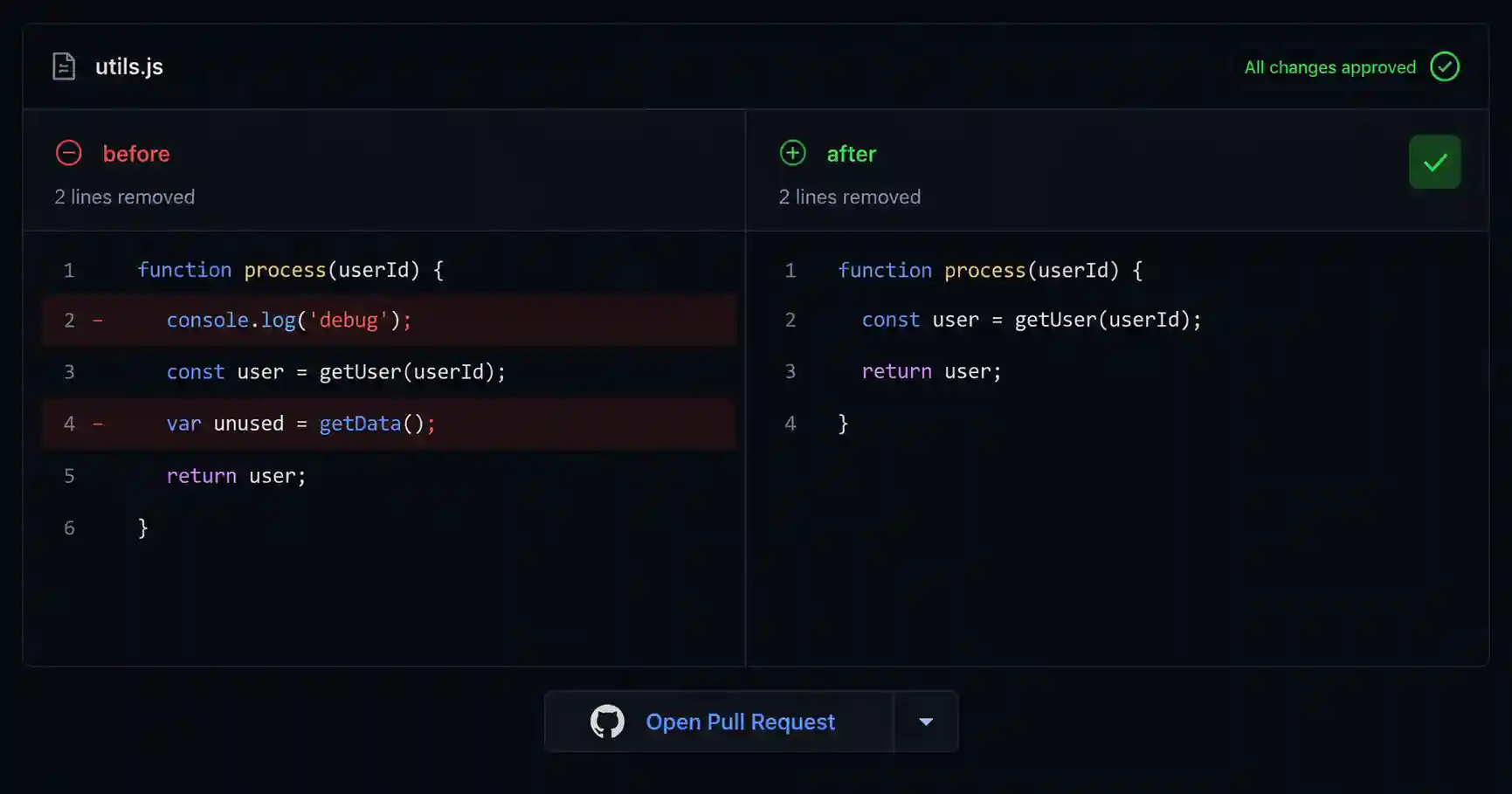
You just opened the PR. Two minutes later, the first comment arrives: "forgotten console.log on line 47." You know you would have caught it if you'd read your own diff before clicking "Create pull request."
That cycle — open PR, get an obvious comment, fix it, make the reviewer look again — costs more than it seems. This post is the habit that breaks it: a self-review checklist, the git commands to see exactly what goes into the PR, and the extra care AI-generated code needs. If you want to understand how a diff is computed and how to read the unified format, that's in how to compare two texts with a diff checker; here the subject is process.
What changes when you read your own diff
When you write code, you're inside the context. You know why each line is there, what you were thinking, what you tested. When you open the diff, you switch perspective: you start seeing what will be reviewed, not what was written.
That switch makes small things jump out immediately: the debug console.log, the variable renamed in three of four places, the comment left stale after the refactor, the config file that shouldn't be in the PR. It isn't carelessness — while writing you're looking at the process, and the diff forces you to look at the result.
GitHub's own documentation recommends it: review your own pull request before asking for review, to catch mistakes early, and make sure the relevant builds and tests have run (GitHub Docs, "Helping others review your changes").
The real cost of skipping this step
An obvious comment on a PR isn't a two-minute fix. It's the reviewer opening the PR, loading the context, finding the problem and writing the comment; you getting back into the topic, fixing, committing and re-requesting review; and the reviewer looking again, if only to mark it resolved. On an async team, each round trip can cost a day. Five minutes of self-review often removes that whole cycle.
Commands to see the diff before the PR
The first step is to see exactly what will be reviewed — no more, no less.
# What's staged (what goes into the next commit)
git diff --staged

# Everything your branch changed since it left main
git diff main...HEAD

# Overview: which files and how many lines
git diff --stat main...HEAD

# Ignore whitespace-only changes
git diff -w main...HEAD

# Word-level diff, useful for prose and long lines
git diff --word-diff main...HEAD

# Review and pick hunk by hunk before committing
git add -p
The detail that confuses people most is .. versus .... I tested it in a repository with a feat branch that changed f.txt while main gained a new file, g.txt:
$ git diff --stat main..HEAD
 f.txt | 3 ++-
 g.txt | 4 ----
 2 files changed, 2 insertions(+), 5 deletions(-)

$ git diff --stat main...HEAD
 f.txt | 3 ++-
 1 file changed, 2 insertions(+), 1 deletion(-)
With two dots, Git compares the tips of both branches and shows g.txt as "deleted" — but you never touched it, it just doesn't exist on your branch. With three dots, the comparison starts from the common ancestor (the merge base), which is what GitHub's "Files changed" tab shows. For self-review, use ....
git add -p is the habit that pays off most: it shows each changed hunk and asks whether it goes into the commit. That's where the debug print and the out-of-scope change show up, before they even become a commit.
On GitHub: draft PRs and the "Files changed" tab
If you'd rather review in the UI, open the PR as a draft. From the command line, gh pr create --draft creates the pull request marked as a draft (GitHub CLI manual), and a draft pull request can't be merged and doesn't automatically request review from code owners until you mark it ready. Read the "Files changed" tab top to bottom, leave yourself comments if needed, fix things, and only then click "Ready for review."
If you live in the terminal, gh pr diff shows the diff of the current branch's PR, gh pr diff --name-only lists only the files, and gh pr diff --web opens the diff in the browser (gh pr diff manual).
Terminal or visual interface? On a long diff, a side-by-side view with color highlighting helps you not lose focus halfway through — that's a preference, not data. Part of the problem is solved in the terminal itself with --word-diff or a pager like delta, which adds syntax highlighting and a side-by-side mode to git diff.
Self-review checklist before the PR
This isn't a deep technical review — that's the reviewer's job. It's the cleanup before delivery:
- Forgotten debug:
console.log,print,var_dump,dd(),debugger, breakpoints - Secrets: tokens, passwords, API keys,
.env, or test credentials that look real - Out-of-scope files: local config, generated files, formatting changes in files you didn't touch
- Lockfile changed for no reason:
package-lock.json,pnpm-lock.yamlorcomposer.lockchanged without you adding a dependency - Migrations: present, run both ways, and in the same PR as the code that depends on them
- Names and comments: a renamed function whose comment still mentions the old name
- Dead code: a function written and never used, a variable declared and never read, a
TODOthat should be an issue - Tests and build run locally — and a new test for the new behavior (the testing pyramid helps decide which kind)
- Scope: every file in
--statrelates to the PR's goal
That last item matters most. Silent scope creep turns a focused PR into one that's hard to review. If you did an extra refactor "while you were there," split it into its own PR or explain it in the description. And if the diff shows something that shouldn't be there at all, undoing changes in Git covers how to discard a file, a hunk or a commit without losing the rest.
Diffs of AI-generated code
With Copilot, Cursor or an agent that edits several files on its own, reading the diff stopped being good practice and became the only barrier between the suggestion and the human reviewer. Agents tend to do exactly what the checklist above looks for: touch files outside the scope, reformat code that didn't need it, bump dependencies, delete a failing test instead of fixing the code, invent a utility function that already exists in the project.
What works in practice: run git diff --stat first and distrust any file you didn't expect to see. Use git add -p to accept the change in pieces instead of git add .. And treat generated code as someone else's code that you're about to sign — because that's exactly what it is.
Smaller PRs as a consequence
When you look at the diff before opening the PR, you naturally ask: "does this change in file X relate to what I'm submitting?" If not, you start splitting. GitHub says the same: small, focused PRs are easier to review and safer to merge. Fewer conflicts too — and when one comes, resolving merge conflicts in a small PR hurts much less. How your team integrates branches matters here; merge vs rebase and branching strategies cover that.
Frequently asked questions
What's the difference between git diff main..HEAD and git diff main...HEAD?
Two dots compare the tips of both branches, so changes that landed on main after you branched off show up inverted in your diff. Three dots compare from the common ancestor and show only what your branch did — the same thing GitHub shows on the PR. For pre-PR review, use three dots.
How do I see only the changed files before opening the PR?
git diff --stat main...HEAD shows files and line counts; git diff --name-only main...HEAD shows just the names. Once the PR exists, gh pr diff --name-only does the same through the GitHub CLI.
Is it worth opening the PR as a draft just to review it?
Yes, especially when CI only runs on PRs or you prefer reading in the "Files changed" tab. A draft can't be merged and doesn't notify code owners until it's marked ready, so you can review calmly and release it once it's clean.
How long should self-review take?
A small PR takes two or three minutes. If it's taking half an hour, the problem isn't the review — it's the size of the PR, and it's worth splitting it before asking someone else to review it.
Review it as if you were the reviewer
The process is short: git diff --stat main...HEAD to see the scope, git add -p or the "Files changed" tab to read every hunk, the checklist so you don't forget secrets, debug and lockfiles, and tests run before you ask for review. With AI-generated code, none of this is optional. Once it becomes a habit, it seems obvious you weren't doing it before.
Note: the editorial content ends here. What follows is a recommendation for a tool related to the post's topic.
Related tool
To compare versions outside Git — a file copied from another environment, two deploy outputs, a snippet pasted in chat — the Diff Checker shows the differences side by side, by line, word or character, right in the browser.
- 01 CPU Cores vs. Threads: What Actually Changes in Practice Understand the difference between CPU cores and threads and what actually changes for performance, multitasking, gaming, and development.
- 02 MIT, Apache, and GPL Licenses: Practical Differences for Developers MIT, Apache 2.0, and GPL are not the same thing. Understand permissive vs copyleft, patent protection, and compatibility before shipping code to production.