What Are Webhooks and How to Integrate Events Between Systems
Understand what webhooks are, how they differ from an API, and how to integrate events between systems with security, retries, and idempotency.
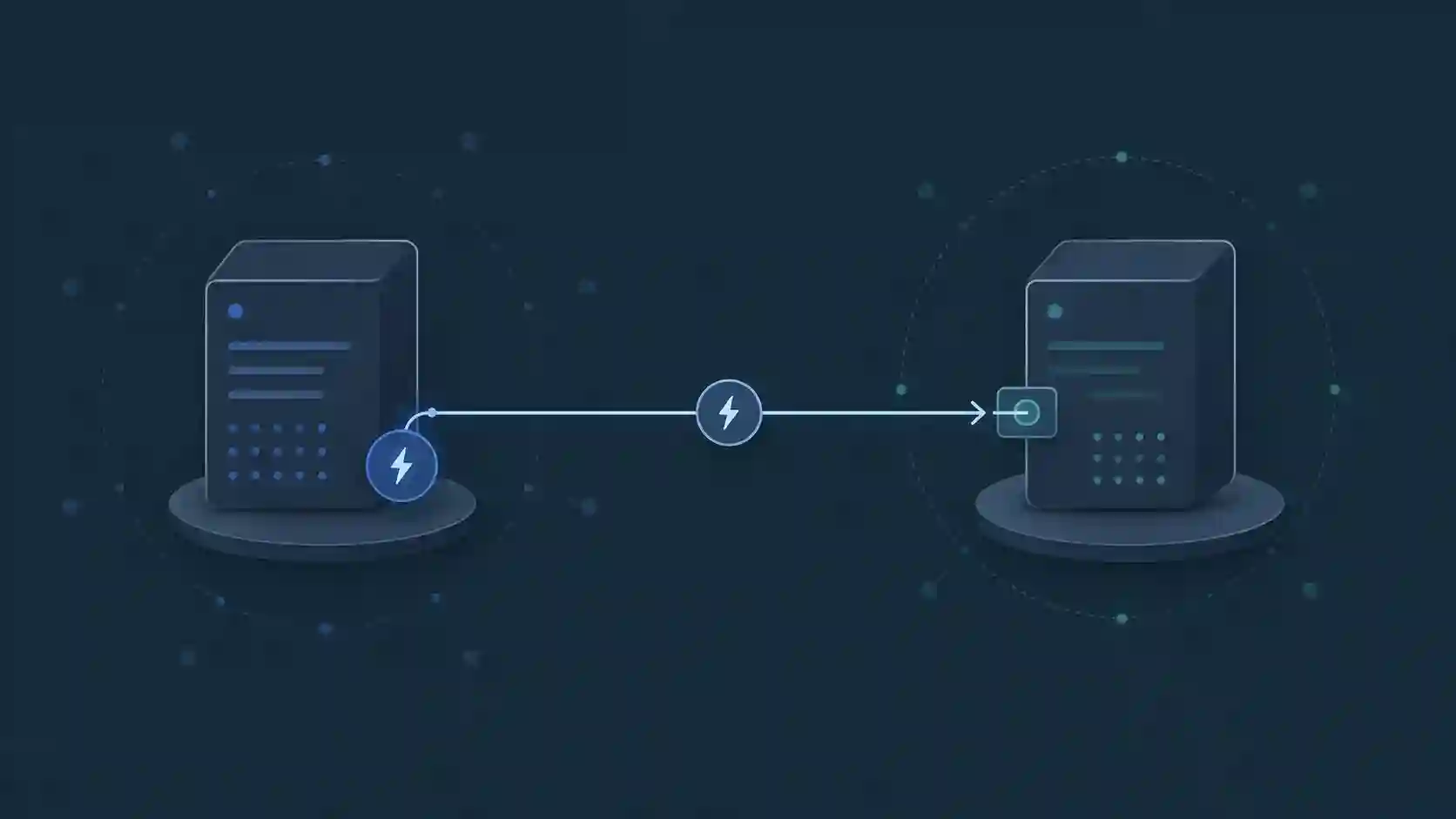
You wired two systems together and everything works, but only because every 30 seconds a job asks "anything new?". The overwhelming majority of the time the answer is "no." You pay bandwidth, CPU and API quota to learn that nothing changed, and when something does change the user waits for the next cycle to see it. That waste has a name, polling, and the way to end it is to flip the direction of the conversation. That's what a webhook does.
This post covers three things: what a webhook is and how it compares to a regular API, how to verify the sender's HMAC signature (with the real headers from Stripe, GitHub and Mercado Pago), and how to process events without charging a customer twice. If you're still firming up the basics of "what is an API", start with What is an API.
What a webhook is, in one sentence
A webhook is an HTTP request, almost always a POST with a JSON body, that one system sends automatically to a URL of yours when an event happens. Instead of you asking "did the payment arrive yet?", the gateway tells you the moment it lands. The logic inverts: instead of pull (you fetch the data), you get a push (the data is sent to you).
That's why webhooks are sometimes called a "reverse API" or an "HTTP callback." You don't call the service; the service calls you.
Webhook vs API vs polling
The most common question is "what's the difference between a webhook and an API?". The short answer: a webhook doesn't replace an API, it changes who takes the initiative.
| API (on-demand request) | Polling | Webhook | |
|---|---|---|---|
| Who initiates | You | You, in a loop | The provider |
| When the data arrives | When you ask | On the next cycle | Right after the event |
| Cost | One call per need | Constant calls, most useless | One call per event |
| Needs a public URL | No | No | Yes |
| When to use | Read or change something now | Source without webhooks | React to events |
The numbers make polling's cost obvious. To know when an order changes status:
// Polling: every 30 seconds, ask whether anything changed
setInterval(async () => {
  const response = await fetch('https://api.shop.com/orders/123');
  const order = await response.json();
  if (order.status === 'shipped') notifyCustomer(order);
}, 30_000);
That's 2,880 requests a day for a single order, and the status changes maybe once. With 10,000 open orders, that's almost 29 million calls a day for next to nothing. With a webhook you register one endpoint and wait for the event to arrive.
In practice the two live together: the webhook tells you something changed, and you use the API to fetch the full state when you need it. Stripe itself recommends this for events that arrive out of order.
How the flow works end to end
- Registration. You give the provider (Stripe, GitHub, Mercado Pago) the URL that receives notifications and the events you care about. At this point it generates a signing secret (on Stripe, it starts with
whsec_). - Event. Something happens on the provider's side: a payment is approved, a push hits the repo, a subscription renews.
- Delivery. The provider builds the payload, computes an HMAC of it with the secret and sends the
POSTto your URL, with the signature in a header. - Processing. Your endpoint verifies the signature, records the event and responds
2xx.
The detail that separates an amateur integration from a robust one lives in step 4. Delivery is at-least-once: if your 2xx doesn't arrive in time, the provider counts the delivery as failed, and the same event may arrive again. Your code has to expect that.
How to verify a webhook signature (HMAC)
Your webhook URL is public. Anyone who finds it can send a POST saying "payment approved." The defense is the signature: the provider computes an HMAC-SHA256 of the content with the shared secret, and you recompute it on your side and compare. HMAC is symmetric-key cryptography (both sides hold the same secret); the difference between the models is covered in symmetric vs asymmetric encryption.
The header name and what goes into the computation vary by provider:
| Provider | Header | Format | What is signed |
|---|---|---|---|
| Stripe | Stripe-Signature |
t=1492774577,v1=5257a8... |
{t}.{raw body} |
| GitHub | X-Hub-Signature-256 |
sha256=7571... |
the raw body |
| Mercado Pago | x-signature |
ts=1704908010,v1=618c... |
a "manifest" built from the data.id query param, the x-request-id header and ts |
The code below verifies Stripe and GitHub. I ran it against the test vector in GitHub's docs (secret It's a Secret to Everybody, body Hello, World!) and checked the Stripe side against the official stripe Node library, generating the header with generateTestHeaderString and verifying with constructEvent: both agree, including when rejecting a timestamp from 10 minutes ago.
import crypto from 'node:crypto';

function compareHex(expectedHex, receivedHex) {
  const a = Buffer.from(expectedHex, 'hex');
  const b = Buffer.from(receivedHex, 'hex');
  // timingSafeEqual throws RangeError when lengths differ
  if (a.length === 0 || a.length !== b.length) return false;
  return crypto.timingSafeEqual(a, b);
}

// GitHub: X-Hub-Signature-256: sha256=<hex>
export function verifyGitHub(rawBody, header, secret) {
  if (typeof header !== 'string' || !header.startsWith('sha256=')) return false;
  const expected = crypto.createHmac('sha256', secret).update(rawBody).digest('hex');
  return compareHex(expected, header.slice('sha256='.length));
}

// Stripe: Stripe-Signature: t=<unix>,v1=<hex>[,v1=<hex>...]
export function verifyStripe(rawBody, header, secret, toleranceSec = 300) {
  const pairs = String(header ?? '').split(',').map((p) => p.split('='));
  const t = Number(pairs.find(([k]) => k === 't')?.[1]);
  const signatures = pairs.filter(([k]) => k === 'v1').map(([, v]) => v);
  if (!Number.isFinite(t) || signatures.length === 0) return false;
  if (Math.abs(Date.now() / 1000 - t) > toleranceSec) return false; // replay
  const expected = crypto.createHmac('sha256', secret).update(`${t}.${rawBody}`).digest('hex');
  return signatures.some((s) => compareHex(expected, s));
}
Four details that break home-grown implementations:
timingSafeEqualrequires buffers of the same length. If you compare GitHub'ssha256=...string with the bare hex, Node throwsRangeError: Input buffers must have the same byte lengthand your handler answers 500 instead of 401. Strip the prefix and check the length first. Constant-time comparison exists so the response time doesn't leak how many bytes of the signature match; GitHub's docs say never to use a plain==.- Sign the raw body, not re-serialized JSON. In my test, the same payload reformatted with
JSON.stringifyfailed verification. In Express, useexpress.raw({ type: 'application/json' })on the webhook route and onlyJSON.parseafter verifying. - Check the timestamp. Stripe's
tis part of the signed string, so it can't be changed without breaking the signature; rejecting old timestamps stops someone from resending a captured valid request (replay). Stripe's libraries use a default tolerance of five minutes, and the docs warn never to use a tolerance of zero. GitHub sends no timestamp: there, replay protection means storingX-GitHub-Delivery, a unique ID per delivery. - Ignore schemes other than
v1. Stripe sends a fakev0on test events and explicitly asks you to ignore it (downgrade protection). During a secret rotation twov1values may arrive; one match is enough.
If the provider ships an official SDK with verification built in (Stripe and Mercado Pago do), use the SDK. Writing it by hand is worth it to understand what the SDK does and for providers that offer no library.
Respond fast, process later
Documented deadlines vary: GitHub wants a 2xx within 10 seconds and, past that, closes the connection and marks the delivery as failed; Mercado Pago waits up to 22 seconds; Stripe publishes no number and only says to return 2xx quickly, before any logic that could cause a timeout. If your handler queries a slow database, renders a PDF and sends an email before responding, it will blow somebody's deadline.
The rule: verify, enqueue, respond. Heavy work goes to a worker.
import express from 'express';

const app = express();

app.post('/webhooks/github', express.raw({ type: 'application/json' }), async (req, res) => {
  if (!verifyGitHub(req.body, req.get('X-Hub-Signature-256'), process.env.GITHUB_WEBHOOK_SECRET)) {
    return res.sendStatus(401);
  }
  await queue.enqueue({
    deliveryId: req.get('X-GitHub-Delivery'),
    event: req.get('X-GitHub-Event'),
    payload: JSON.parse(req.body),
  });
  res.sendStatus(202);
});
I tested this handler with an in-memory queue: a valid signature returns 202, a wrong or missing signature returns 401, and a reformatted body returns 401.
What happens after a failure also differs by provider, and it's worth knowing before the first incident:
- Stripe: in live mode, retries for up to three days with exponential backoff; in a sandbox, three times over a few hours. You can also resend manually from the Dashboard (up to 15 days) or the CLI (
stripe events resend, up to 30 days). - GitHub: does not redeliver failed deliveries automatically. After an outage, you have to redeliver the missed ones through the UI or the REST API.
- Mercado Pago: resends every 15 minutes; after the third attempt the interval grows, but deliveries keep coming.
Idempotency and event ordering
Because delivery is at-least-once, the same event can arrive twice, and Stripe warns it doesn't guarantee order: invoice.paid can arrive before invoice.created. The fix is an idempotent handler: each event has a unique ID (the event id on Stripe, X-GitHub-Delivery on GitHub), and you record the IDs you've already processed.
async function processEvent(event) {
  // INSERT ... ON CONFLICT DO NOTHING returns 0 rows if the ID already exists
  const isNew = await db.recordEventIfNew(event.id);
  if (!isNew) return; // duplicate: already handled
  await applyBusinessRule(event);
}
Record the ID and apply the side effect in the same transaction when you can. If you mark the ID as processed and the side effect fails, you lost the event; if you apply the side effect and crash before marking, you process it twice. And don't use the event timestamp to decide ordering: Stripe records created in seconds, so two events can share the same value. When order matters, fetch the object's current state from the API.
How to test webhooks locally
The classic problem: the provider needs a public URL and your code runs on localhost. The shortest path is the provider's own CLI. Stripe has stripe listen --forward-to localhost:4242/webhook, which forwards events to your machine and prints that session's signing secret; stripe trigger payment_intent.succeeded fires a test event. On GitHub, forwarding is not a native gh command: it's the cli/gh-webhook extension.
gh extension install cli/gh-webhook
gh webhook forward --repo=my-org/my-repo --events=push,pull_request --url="http://localhost:3000/webhooks/github"
According to GitHub's docs, the extension only works with repository and organization webhooks, is meant only for testing and development, and only one person at a time can use it per repository. For everything else:
- Local tunnel.
ngrokorcloudflaredexpose your port through a temporary HTTPS URL that you register in the provider's dashboard. Works for any provider. - Request inspector. Sites like webhook.site give you a throwaway URL that shows the payload and headers received, handy for learning the format before writing code.
To turn these manual checks into a suite that runs in CI, see testing APIs automatically. Save a real payload of each event as a fixture and test the handler against it, including a wrong signature and a duplicate event.
Where webhooks make sense (and where they don't)
Webhooks are the right call for asynchronous payment confirmation, CI/CD (a push triggers the pipeline), no-code integrations via Zapier or Make, and chat notifications (a finished deploy pings Slack).
They don't fit when the consumer has no public endpoint, like a mobile app; that's push notifications or polling. They also don't fit when you need continuous two-way communication, like a chat: that's WebSocket. Between your own microservices, where you control both sides, a queue (RabbitMQ, Kafka, SQS) is usually better than HTTP webhooks because it already gives you persistence and retries; if the services still talk over HTTP, contract tests keep a payload change from silently breaking the consumer.
And the endpoint that receives the webhook is an HTTP endpoint like any other: status codes, versioning and error format follow the same REST API best practices.
Frequently asked questions
What's the difference between a webhook and an API?
With an API you make the request and get the response right away (pull). With a webhook, the server calls you when an event happens (push). The webhook is delivered over HTTP, so technically it is an API call, but the initiative is flipped. Use the API when you need the data now and the webhook when you want to be told when the data changes.
What's the difference between a webhook and a WebSocket?
A webhook is a one-off HTTP request, server to server, fired on each event. A WebSocket is a persistent, bidirectional connection, usually between a browser and a server, used for chat, live dashboards and games. If the recipient is a backend reacting to events, it's a webhook; if it's an open screen that needs continuous updates, it's a WebSocket or Server-Sent Events.
Are webhooks secure?
They can be, if you do three things: accept HTTPS only (Stripe requires HTTPS in live mode), verify the signature on every request with a constant-time comparison, and check a timestamp or delivery ID against replay. Without signature verification, anyone who discovers the URL can forge events. Stripe also publishes the list of IPs it sends webhooks from, and IP filtering is an extra layer, not a substitute for the signature.
What happens if my server is down when the event fires?
It depends on the provider. Stripe retries for up to three days in live mode, Mercado Pago resends every 15 minutes, and GitHub doesn't retry on its own: you have to redeliver the missed deliveries. In every case, design a reconciliation step: a job that, after an outage, lists events or objects through the API and processes whatever was left behind.
Verify, enqueue, deduplicate
A webhook is just one POST at the right moment instead of thousands of GETs in the dark. What makes an integration survive production is three habits: verify the signature over the raw body, with a constant-time comparison and a timestamp check; answer 2xx within seconds and push the heavy work to a queue; and handle every event by its ID, because at some point it will arrive duplicated and out of order. Before integrating a new provider, read its webhooks page looking for three answers: which header carries the signature, what the response deadline is, and what the retry policy is.
The editorial content ends here. To read a webhook payload captured in the inspector or in a log, I paste the JSON into the Quick Tools JSON formatter, which indents it, validates it and shows it as a tree. It only formats: signature verification still happens in your code.
- 01 CPU Cores vs. Threads: What Actually Changes in Practice Understand the difference between CPU cores and threads and what actually changes for performance, multitasking, gaming, and development.
- 02 MIT, Apache, and GPL Licenses: Practical Differences for Developers MIT, Apache 2.0, and GPL are not the same thing. Understand permissive vs copyleft, patent protection, and compatibility before shipping code to production.